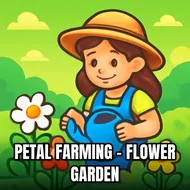
Petal Farming - Flower Garden
Instructions:
Use Mouse To Play and Follow introductionDescription
Petal Farming - Flower Garden Mobile & PC Control Guide
Key Combinations
- Click and hold with the mouse to plant seeds in your garden plots.
- Drag your cursor toward wilted or ready flowers to harvest them.
- Tap on the shop icon to spend petals and coins on upgrades.
- Follow the on-screen introduction prompts, they walk you through the first few plantings step by step.
- Click on customers or delivery points to hand off finished bouquets.
There's something oddly relaxing about watching a bare patch of dirt turn into rows of tulips and roses, and this little farming sim leans hard into that feeling. The 3D top-down view gives everything a slightly toy-like charm, like you're peering into a diorama rather than a flat grid of tiles. You're not just planting for the sake of it either, there's a whole shop-building loop underneath, where petals become currency and currency becomes bigger plots, prettier decorations, and rarer flower types. It's clearly built with younger players and families in mind, nothing here is stressful or timed to the second, but that doesn't mean it's shallow. Watching your patch of land grow from a few scattered pots into a genuinely sprawling flower business has a quiet pull to it, the kind of loop that makes you say "just one more harvest" way more than you planned to.
Top Tips
- Don't rush past the introduction, it quietly explains mechanics you'll need later.
- Replant empty plots the moment you harvest, idle dirt earns you nothing.
- Save up petals before buying upgrades instead of spending them on small stuff early.
- Mix flower types across your farm so you're never waiting on just one crop to mature.
- Check back on your garden often, some flowers reward attention more than others.
- Decorate your shop when you can, it's cosmetic but it makes the whole space feel more like yours.