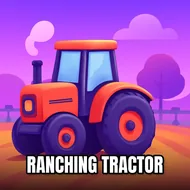
Town Ranching Tractor
Instructions:
WASD or Arrow keys - Drive the Tractor Space - BrakeDescription
Town Ranching Tractor Mobile & PC Control Guide
Controller & Keyboard Guide
- WASD or Arrow keys steer the tractor across dirt paths and open fields
- Space slams the brakes when a turn comes up faster than expected
- W or Up Arrow pushes the throttle forward once you're hitched and ready
- A and D (or the side arrows) handle lane corrections on narrow farm roads
- S or Down Arrow slows things down without a full stop, handy near fences
There's something oddly calming about rolling a big rig out of the garage, hooking up a plowshare, and just getting to work. Town Ranching Tractor doesn't try to reinvent the wheel here, it hands you a tractor, a field, and a checklist, and honestly, that's kind of the appeal. You'll plow, spray pesticide, water rows, and seed crops like wheat, cotton, and rice, and each level tends to swap the job around so you're not doing the exact same loop for twenty minutes straight. The off-road driving section before you even reach the field adds a nice bit of texture too, since the tractor handles with a bit of weight to it, not floaty like some arcade racer. It's slow-paced by design, but that's the point, this isn't about drifting corners, it's about finishing the job clean.
Score-Boosting Tactics
- Line up your plowshare early so you're not wasting time repositioning mid-row
- Tap the brake instead of yanking it, sudden stops can knock your alignment off
- Cover ground in straight, overlapping passes so no patch of soil gets missed
- Watch your speed near fences and equipment, clipping them tends to cost more time than it saves
- Finish watering and spraying tasks before moving to the next field so nothing gets left half-done
- Treat each level's instructions literally, the order you complete tasks in usually matters